“Shift OS really gives practical, real-world tools you can use immediately to improve how you manage your shift and workflow.”
Most helpful part: “The Shift Spine makes practical sense.”
Damola, BSN, RN
Shift OS student

You finish report with a plan, but then one patient needs pain meds. Another has new orders. Someone has fresh discharge orders. A family member has a question. Pharmacy messages you.
Your preceptor asks about something you meant to do 20 minutes ago...
And somewhere between interruption #3 and interruption #7, you're trying to remember what you were doing before everybody needed something.
That's the part of acute care nursing the Shift Operating System was built for.
It gives you a repeatable structure for figuring out what happens now, what can wait, what needs to stay on time, and how to reset when your original plan no longer exists.
The FreshRN Shift Operating System (Shift OS) is a six-module course built around a repeatable framework you come back to for planning and running a 12-hour acute care shift.
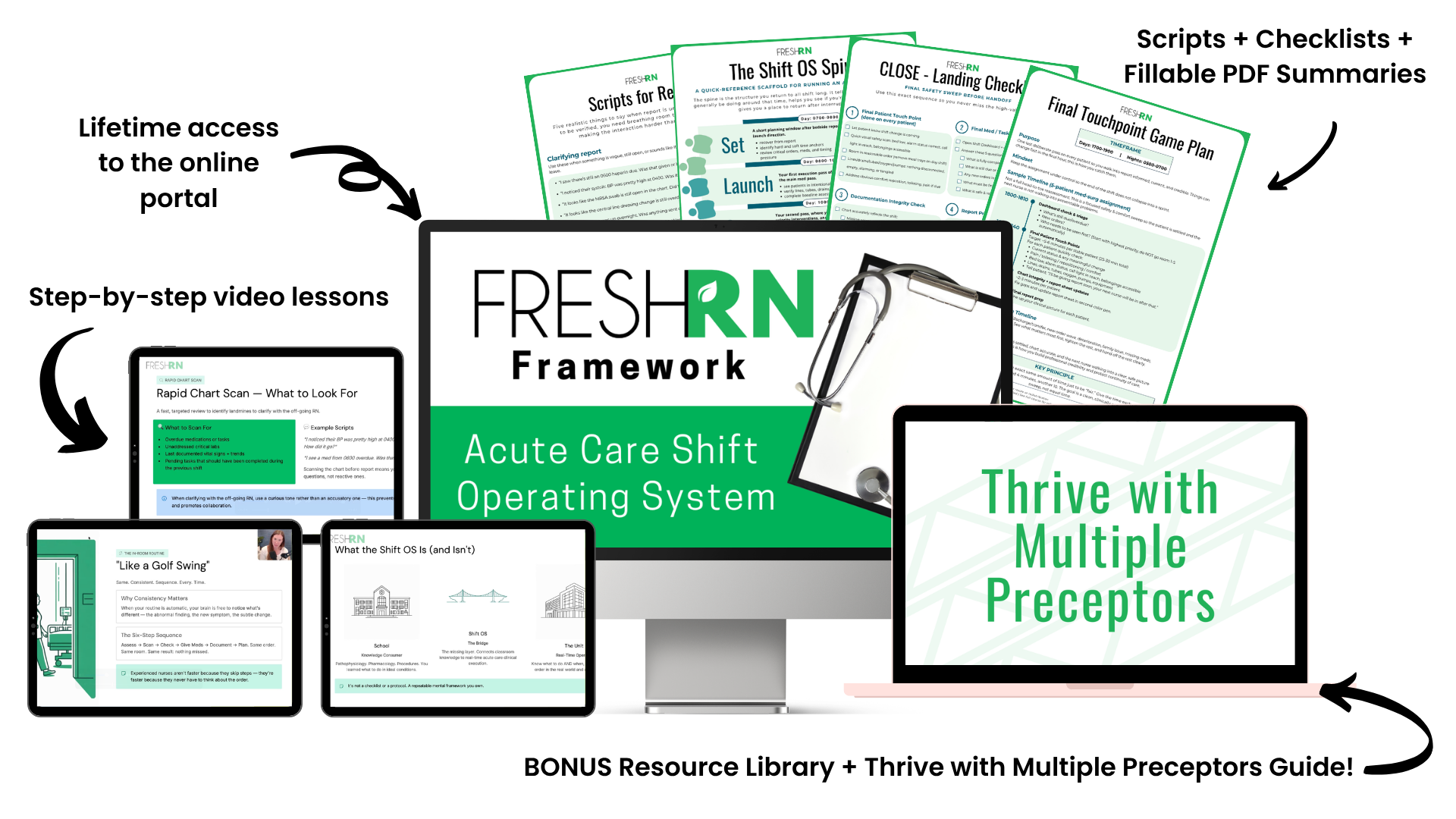
Instead of trying to hold dozens of separate time-management tips in your head, you'll learn one structure you can use to:
✅ exit report knowing what needs attention first
✅ decide what to do when several legitimate priorities compete for your attention
✅ know what truly has to happen on time and what has flexibility
✅ fold new orders, admissions, discharges, and interruptions into the day
✅ restart after an interruption without mentally rebuilding your entire shift
✅ close out documentation, safety checks, and report more intentionally
This same framework works across med-surg, stepdown, and ICU
(with specific callouts for each).
“Shift OS really gives practical, real-world tools you can use immediately to improve how you manage your shift and workflow.”
Damola, BSN, RN
Shift OS student

Hi 👋 I’m Kati, the nurse behind FreshRN.
For the last 10+ years, I’ve created resources for new and transitioning acute-care nurses, and I kept seeing the same thing:
You can understand the meds, know the diagnoses, and still get halfway through a 12-hour shift wondering how every experienced nurse around you seems to know what needs to happen next (and you don't).
That’s because acute care is not a tidy list of tasks. You’re constantly balancing what has to happen now, what can wait, what keeps coming back all day, and what just landed in your lap five minutes ago.
Over time, experienced nurses build a mental framework for making those decisions. And that's the part I wanted to teach more clearly.
So I pulled together the highest-impact shift-management pieces from my courses, refreshed and expanded them, and organized them into one repeatable system for running an acute-care shift: Shift OS.

Shift OS was rebuilt and refreshed from the shift-management teaching originally included inside our Med-Surg Mindset course. Because Shift OS is new, the reviews below are from nurses who learned this material in its original Med-Surg Mindset format.
“Hannah's task list is a game changer. I just got a new job as a medsurg nurse in an LTAC. I am usually doing well at the start of the shift, but I tend to lose track of the things I needed to do in the afternoon around lunch time, and long after all the scheduled morning medications have already been given to my patients. After I made some modifications to the task list to specifically address the routine tasks I have on the floor where I currently work, the form certainly helped take off the pressure I often felt prior to discovering this very effective and handy tool.”
Anna, RN (LTAC)
“It literally runs through from A (once you wake up to get ready for the shift = mindset) to Z (sign off and report to next shift nurse). The details that this course contains is AMAZING, it touches on everything. Honestly, I don't feel I am alone in this journey and have Kati in the background talking and encouraging me when I am down.”
Rosie Choi, RN (Ortho/Med-Surg)
“I loved the priority examples... who to see in what order.”
Michelle B.
Take a quick look inside Shift OS with me so you can see how the course is organized, what the supporting tools look like, and whether my teaching style feels right for you.
Each module contains a 15-30 minute lesson + text + downloadable tools you can actually use on the unit.

Learn the core decision rules behind Shift OS and how to separate two questions that can feel tangled together during a busy shift: what matters most and what actually needs to happen next.

Use the critical 30-60 minutes after report to understand your assignment, build your Shift Dashboard, identify important time-sensitive work, and decide the order of your first patient pass.

Move through your first patient pass with a consistent in-room routine for assessments, medications, safety checks, and expectations so you're not reinventing your process in every room.

Your second pass. Reassess, close lower-priority loops, handle routine tasks, and work in new orders without losing track of the rest of your shift. Includes practical sequencing when new orders start piling up.

The long middle of the shift. Stay ahead of admissions, discharges, transfers, recurring needs, and subtle changes while keeping the rest of your plan moving. Learn how to reset deliberately when the unexpected throws everything off.

Finish strong. Complete your final safety sweep, documentation check, and prepare a clear report so the next nurse gets all the information they need without avoidable chaos.
When you need to refresh a clinical concept outside of the Shift OS framework, you’ll also have lifetime access to the FreshRN Reference Library with 70+ lessons.
Inside, you’ll find clear, nurse-friendly explanations of:
Think of Shift OS as the system for running the shift, and the Reference Library as the place to go when you need to brush up on the clinical pieces you encounter along the way.


Orientation can feel completely different depending on who you’re paired with and where you are in the process.
The Thrive With Any Preceptor lesson + Orientation Roadmap PDF gives you a clear, week-by-week guide for your first 8-10 weeks on the unit, with realistic goals for you to hit in that time.
It breaks your progress into simple color zones (Red, Yellow, Green) so you always know exactly where you are in your development, what’s reasonable to expect of yourself, and what level of support you need.
Use these to make orientation easier to navigate, especially when different preceptors communicate, teach, and organize their shifts differently.
This fast paced, 30 minute mini-course helps you give a clearer, more organized report without feeling like you’re always piecing it together on the fly.
You’ll learn how to prepare for report, receive it efficiently, give a smooth handoff, and handle tricky moments using practical scripts and structures.
It also includes a report sheet database and a Top Shorthand Abbreviations PDF you can use right away on the floor.


“This course has helped alleviate my pre-shift anxieties, and the clear, to the point, creative teaching has actually stuck and I can apply every single module from this course to each shift. In med-surg, there is such a variety of patients and varying reasons that they are in the hospital. It is not possible to know it all, but this course gives me a foundation for SO many diagnosis and treatment plans. I don't feel lost, they way I did before this course!”
Cory D., RN (Med-Surg)
“My orientation was very quick paced and having the time away from patient care to properly digest and review important material was key to developing my confidence and skills... Being able to take that deeper dive and have a better understanding of the types of patients I may care for, and how to organize myself was invaluable.”
Joy Murphy, RN (Surgical Oncology)
“This course fills a gap in the new nurse education market. It’s insider knowledge that I didn’t get from my preceptors.”
Lisa, RN (Med Surg)
These reviews are from FreshRN’s Med-Surg Mindset course, which included the original shift-management teaching later refreshed and rebuilt into Shift OS.

Give the course a try for two weeks, and if it's not moving the needle for you, send us an email, and we'll issue a refund. No explanation required. (Full refund policy details in FAQ.)
One membership. Our ENTIRE library of FreshRN courses.
SEE EVERYTHING INCLUDED + JOIN ALL-ACCESS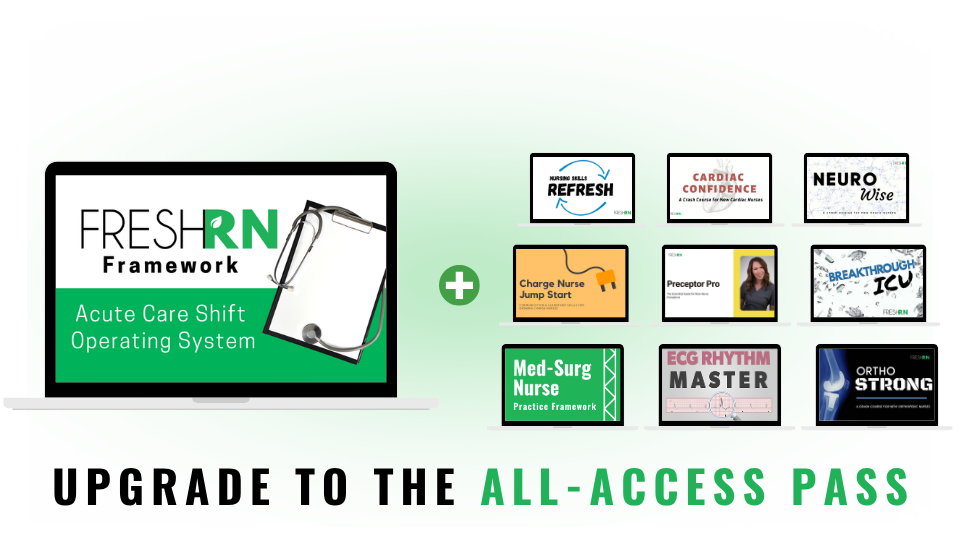
This is designed for med-surg, stepdown, and ICU. (This includes telemetry, cardiopulmonary, ortho and stroke units.) It is not designed for PACU, OR, ED, or highly specialized procedural areas.
Nope! The framework is designed so you can begin practicing what you learn as you move through the modules. Each module includes approximately 15-30 minutes of teaching.
No restrictions, anyone who wants the framework can use it.
No, this is a practical operating system, not a CE course.
Lifetime access, including any future updates.
No. It’s for any nurse (new or experienced) who feels scattered, overwhelmed, or like they’re constantly playing catch-up with their assignment.
That's normal and expected! Shift OS is a framework for organizing your thinking and workflow, it's not a universal hospital schedule. You'll adapt it to your patient assignment, unit routines, hospital policies, and scope of practice.
You can request a full refund within 14 days of purchase. The only refund requirements are: The refund must be requested and issued within 14 days of purchase (please allow 2-3 business days for refunds to be processed), and less than 50% of the course must be completed.
Shift OS gives you a repeatable way to plan after report, work through competing priorities, handle interruptions, reset when your original plan changes, and close out the shift more intentionally.
Enroll for $197
You’ll get instant lifetime access to the full Acute Care Shift OS, all downloadable tools, the Orientation Roadmap, and the complete FreshRN Reference Library.
You already know how much there is to keep track of on the floor.
Shift OS gives you a practical system for making your whole shift feel more manageable.